Building Real-Time Telegram Alerts for a SOC Dashboard (Elastic Stack + Node.js)
- Maryam Ziaee
- Apr 6
- 2 min read

Updated: Apr 7
Introduction
In modern Security Operations Centers (SOC), detecting threats is only half the battle — real-time alerting is what truly enables fast response.
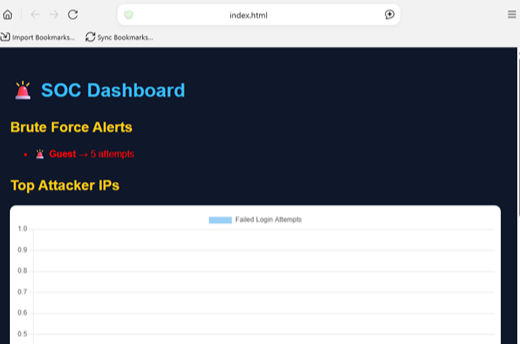
In this phase of my project, I extended my SOC dashboard by integrating Telegram alerts, allowing the system to notify me instantly whenever a brute-force attack is detected.
Why Telegram Alerts?
Traditional dashboards require manual monitoring. But attackers don’t wait.
By integrating Telegram alerts, we achieve:
Instant notifications
Faster incident response
Real-time awareness without checking dashboards
Detection Logic
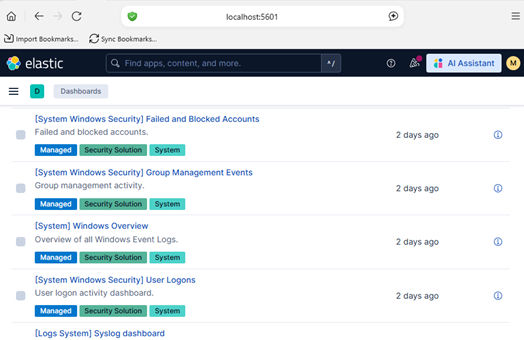
The system monitors Windows failed login events:
Event ID: 4625 → Failed login attempt
Aggregation by username
Threshold-based detection
Detection Rule:
If failed login attempts ≥ 5 → Trigger alert
Backend Integration (Node.js)
Using Node.js and the ElasticSearch client, I created an API endpoint:
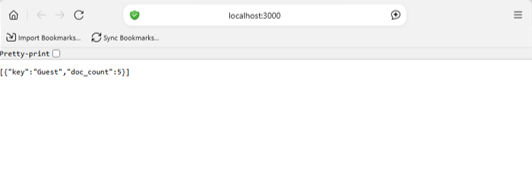
GET /api/detect/bruteforce
This endpoint:
Queries ElasticSearch
Aggregates failed login attempts per user
Checks threshold
Sends an alert if triggered
Telegram Bot Integration
To send alerts, I used the Telegram Bot API.
🔹 Steps:
Create a bot using BotFather
Obtain Bot Token
Retrieve Chat ID
Send messages using API
Implementation
🔸 Alert Function
async function sendTelegramAlert(message) {
  const url = `https://api.telegram.org/bot<TOKEN>/sendMessage`;

  await axios.post(url, {
    chat_id: "<CHAT_ID>",
    text: message
  });
}
🔸 Triggering Alerts
if (user.doc_count >= 5) {
  await sendTelegramAlert(
    "🚨 Brute Force Detected!\nUser: " + user.key +
    "\nAttempts: " + user.doc_count
  );
}
Testing the System
To simulate attacks:
Multiple failed login attempts were generated
The detection API was triggered
Result:
A Telegram message was instantly received:
🚨 Brute Force Detected!
User: Guest
Attempts: 5
Key Challenges
❗ Handling Telegram API errors (403, invalid chat_id)
❗ Understanding the difference between the bot username and the chat ID
❗ Debugging real-time alert triggers
❗ Preventing false positives
Outcome
The system now provides:
Real-time brute-force detection
Instant Telegram alerts
Fully automated security monitoring
Next Steps
To further enhance the system:
Add Email alerting (SMTP integration)
Implement smart detection logic (anti-spam, thresholds)
Add cooldown mechanisms to avoid alert flooding
Deploy on cloud infrastructure
Conclusion
This implementation bridges the gap between detection and response.
By integrating Telegram alerts, the SOC dashboard evolves into a proactive security system capable of reacting in real time.
🚨 From logs to alerts — building real-world cybersecurity systems step by step.




Comments